
KWGT Kustom Widget Pro Key
Kustom IndustriesTools
3.7368.00 Reviews
- Version
- F
- Installs
- 500.00K
- Age Rating
- Everyone
Screenshots
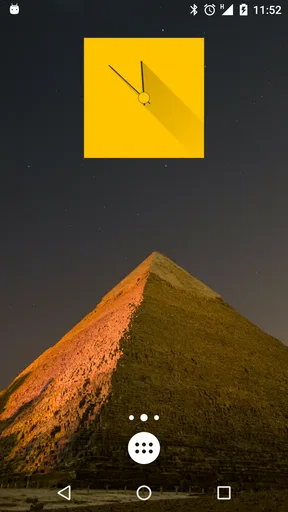
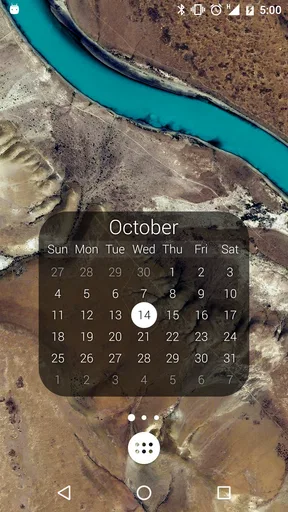
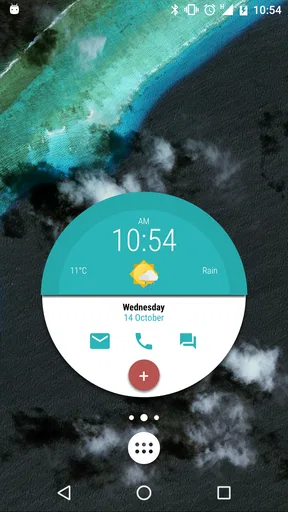
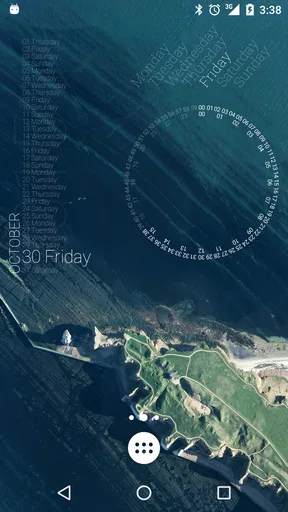
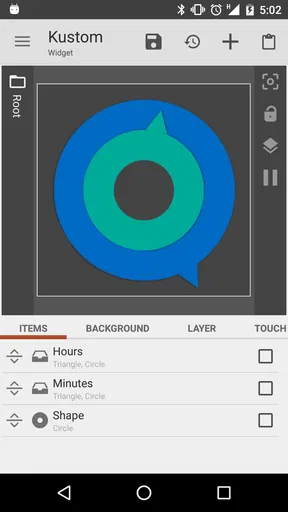
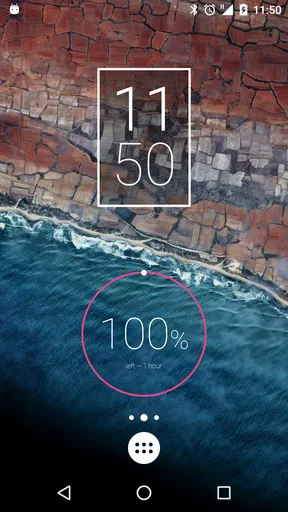
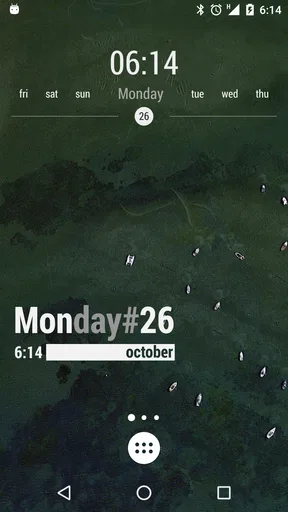
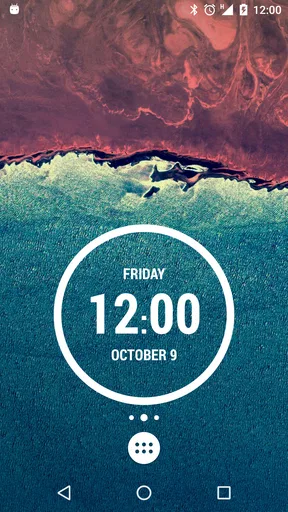
Our Review of KWGT Kustom Widget Pro Key
 Analysis by Appyee
I think KWGT Kustom Widget Pro Key makes the most sense when a home screen needs to do more than display a clock. It is a paid Tools app from Kustom Industries, built around designing Android widgets rather than choosing from a fixed set and accepting their layout. I like that freedom, but it comes with a real trade-off: this is a creative editor, not a one-tap makeover. If you enjoy adjusting how your phone looks and what a widget communicates, the learning curve can pay off. If you only want a ready-made clock, a simpler widget picker will probably feel easier.
A shared phone needs a shared visual language
On a household tablet or a phone that people regularly pass around, a custom widget can make the home screen more useful at a glance. I would build one clear panel for information everyone needs, such as the time and a small set of glanceable details, then keep personal shortcuts and preferences separate on each person’s screen. That approach is more practical than trying to make one elaborate design serve every taste.
The useful distinction is that a widget is a visible part of the home screen, not a household coordination system. I would not treat it as a shared calendar, a messaging tool, or a way to manage who can use the device. Instead, I’d use its design flexibility to make existing information easier to notice, while leaving actual planning and communication to the apps intended for those jobs.
Decide who owns the design before you begin
Before building a family-facing layout, I’d agree on who is allowed to change it. A child may enjoy choosing colors or a background, while another person may care more about keeping the display readable and predictable. A quick conversation prevents the person who likes experimenting from unintentionally turning a useful shared screen into something others find confusing.
This matters because the editor offers room to tinker. Templates give you a starting point, but changing layers, typography, colors, and shapes can turn a small adjustment into a broader redesign. I’d save a version that works before trying a more ambitious look, and make changes in stages: first the information, then the appearance. That makes it easier to spot which choice helped and which one made the widget harder to read.
Coordinate without expecting family controls
The app’s global variables are particularly useful when one person maintains several related widgets. A shared color choice or other common setting can be adjusted once and used across the design, which is less fiddly than revisiting every element individually. For a household, that can keep a clock, information panel, and matching visual accents feeling consistent even when they occupy separate areas of the screen.
I would still treat this as a design convenience, not a permission boundary. The Pro Key’s import and export options can help move widget designs between compatible workflows, but sharing a design is different from sharing an account or controlling another person’s device. Keep personal account access and device settings under the appropriate owner’s control, and use the widget only for the information that belongs on that screen.
Age, trust, and a sensible level of freedom
KWGT is rated for Everyone, and the editor’s creative nature can make it an enjoyable project for a younger Android user with an adult nearby. I’d begin with a template and let them choose a limited set of visual details, rather than handing over a blank canvas and expecting them to understand every option straight away. That keeps the activity approachable while still letting them make something recognizably their own.
For a shared device, I’d also decide together what information should appear where other users can see it. A widget’s purpose is to keep selected details visible on the home screen, so personal preferences about privacy and screen visibility matter even when the design itself is harmless. That is a household choice, not a special privacy feature I would assume the app provides.
The app has an average rating of around 3.8 from about 5,500 ratings, with roughly 363 written reviews, and more than 500,000 installs. Those figures suggest a well-used tool with a mixed experience rather than a universal fit. Its current version is F and it needs Android 5.0 or later. At $6.99, I’d make sure the person who will do the actual editing wants that flexibility before paying; the purchase is hard to justify if the goal is simply to place a basic clock.
Hey there! If you're into personalizing their Android home screen, you might have heard about KWGT Kustom Widget Pro Key. I recently dove into this app, and I've got to say, it's a game changer for anyone who loves tweaking their phone's look to perfection.
Unlocking Creativity with KWGT
Let me start by saying that KWGT Kustom Widget Pro Key isn’t just another widget app. It's like having a mini design studio right in your pocket. With this app, you can create custom widgets that look exactly how you want them to. Imagine having full control over your home screen aesthetics. Sounds awesome, right?
Getting Started
So, when you first download the app, it might seem a bit overwhelming because there are so many options. But don’t worry! The app comes with a bunch of templates to help you get started. You can tweak these templates or, if you’re feeling adventurous, start from scratch. The interface is pretty intuitive once you get the hang of it. It’s like playing around with Lego blocks, but for widgets.
One thing I really like is how you can layer elements. Want a weather widget with your favorite font and a cool background image? Done! The app supports a wide range of fonts, colors, and shapes, so the sky's the limit.
Features That Stand Out
Now, let's talk about the features that make this app stand out. First off, the customization options are off the charts. Whether it’s battery meters, weather info, or just a clock, you can design everything to fit your style. The app also integrates seamlessly with other apps and systems on your phone, which makes it super convenient.
Another cool thing is the ability to use global variables. This means you can change a single setting and have it affect multiple widgets. It’s a huge time saver and adds a level of consistency across your home screen.
Performance and Usability
In terms of performance, I was pleasantly surprised. The widgets run smoothly on my device without any noticeable lag. The app itself is quite responsive, which is crucial when you're in the middle of designing and tweaking. Plus, the Pro Key unlocks some additional features that you might find really useful, like exporting and importing widget designs.
One everyday way I’d use that flexibility is to create a compact morning panel: a clock that is easy to read, with only the extra information I actually check before leaving home. I’d keep the layout restrained at first, then add decorative layers only if they don’t crowd the useful details. On a shared device, that same principle helps: the design should make the screen clearer for the next person, not just more impressive to its creator.
When a different widget option is better
Compared with the standard widgets included with many apps, KWGT offers much finer control over composition and appearance. The usual built-in option is better when you want a familiar layout immediately and don’t want to build or tune anything. KWGT is the stronger choice when you have a specific look in mind, want related widgets to match, or enjoy the process of shaping the screen yourself.
There is also a middle ground: use a template as a base and change only the parts that matter. That is often smarter than starting from a blank design, especially if your goal is simply to make a widget fit a wallpaper or improve contrast. A useful test is to place it on the actual home screen and check it at a glance; a design that looks polished in the editor can still feel too dense at normal size.
The trade-off is time and attention. Fine control means there are more choices to make, and a shared screen can become a source of small disagreements if everyone expects to edit it. I’d assign one person to maintain the main layout and invite suggestions from others, rather than making frequent unsupervised changes. If nobody in the household wants to take that role, the phone’s built-in widgets are likely the more peaceful option.
Small workflow choices that save effort
When I’m experimenting, I’d change one thing at a time and check the result on the home screen instead of judging everything from the editor. If the text becomes difficult to scan, I’d simplify the arrangement before adding more decorative detail. This is especially helpful for weather or battery information: those elements are useful only if their important values remain easy to find.
Global variables are more than a convenience for matching colors. They can also make later revisions less tedious when several widgets share a visual decision. I’d settle on a small set of reusable choices early, then apply them consistently. The benefit is not that every widget must look identical, but that a later adjustment does not turn into a hunt through each design.
Importing and exporting can be helpful when you want to preserve a design or move it through a compatible setup, but I would keep a copy of a version I already like before testing major changes. That gives you a known starting point if an experiment goes wrong. It is also a practical way to avoid rebuilding a household layout from memory after someone has altered several layers.
Who will enjoy the hands-on approach?
I’d recommend the app to Android users who notice the details of their home screen and are willing to learn an editor. It suits someone who wants a custom clock, a coordinated set of panels, or a widget that fits a particular wallpaper more closely than a standard preset can. It can also work well as a shared creative project, provided the household agrees on who makes final changes and keeps the information easy to read.
I’d skip it if you want a finished result immediately, dislike adjusting visual elements, or only need a basic widget supplied by another app. It is also not the right answer if what you really need is shared task management, family scheduling, device restrictions, or account coordination. Those jobs call for dedicated tools; a custom home-screen design can make information visible, but it does not replace the systems that create or manage that information.
Wrapping It Up
All in all, if you’re someone who loves to have a personalized phone experience, KWGT Kustom Widget Pro Key is definitely worth checking out. It offers endless possibilities for customizing your home screen and making your phone truly yours. Whether you're a design pro or just someone who likes to tinker, this app has something for everyone.
So, grab the app, let your creativity flow, and start crafting the home screen of your dreams!
My household verdict
For a household, I see this as a way to make an Android screen feel considered and readable, not as a tool that organizes the family by itself. One person can shape a useful shared layout, while others can agree on what belongs there and how it should look. The best result is probably a modest design that everyone can understand, rather than a crowded display that reflects only the editor’s enthusiasm.
Verdict
Strengths of KWGT Kustom Widget Pro Key
- Highly customizable widgets.
- User-friendly interface.
- Integration with other apps.
- Low battery consumption.
- Frequent updates with new features.
Limitations of KWGT Kustom Widget Pro Key
- Steep learning curve for new users.
- Some features require in-app purchases.
- Occasional bugs in custom setups.
- Limited support for older devices.
- Complexity may overwhelm casual users.
Other Releases by Kustom Industries
View All
KWGT Kustom Widget Maker
Personalization3.9

KLWP Live Wallpaper Pro Key
Tools3.9
Similar Picks in This Category
View All
Google LLC4.0

Gboard - the Google Keyboard
Google LLC4.5

Google Play services
Google LLC4.3

Google Play Store
Google LLC4.9

Files by Google
Google LLC4.5

SHAREit: Transfer, Share Files
Smart Media4U Technology Pte.Ltd.4.3
Frequently Asked Questions
What is KWGT Kustom Widget Pro Key and how does it enhance my device?
KWGT Kustom Widget Pro Key is a powerful tool that enables users to create custom widgets on their Android devices. It enhances your device by allowing you to design widgets that display information like weather, clock, calendar, and more, tailored to your personal style. With its intuitive interface and extensive customization options, it transforms your home screen into a personalized hub.
Is KWGT Kustom Widget Pro Key user-friendly for beginners?
While KWGT offers extensive customization options, it may have a learning curve for beginners unfamiliar with widget creation. However, the app provides detailed tutorials and a supportive community, making it easier to grasp over time. Once you get the hang of its features, creating widgets becomes a rewarding and creative experience.
What are the key features of KWGT Kustom Widget Pro Key?
KWGT Kustom Widget Pro Key offers a range of features including a WYSIWYG (What You See Is What You Get) editor, various pre-made widget templates, global variables to save time, and support for touch actions. It also allows integration with other apps, providing dynamic data display and endless customization options to suit your needs.
Are there any limitations on customization in KWGT Kustom Widget Pro Key?
While KWGT Kustom Widget Pro Key provides a comprehensive suite of tools for widget creation, the main limitation lies in the user’s imagination and skill level. The app itself offers a wide array of features that cater to both simple and complex designs, ensuring most users can create the widgets they envision.
Does KWGT Kustom Widget Pro Key affect battery life or system performance?
Like any app that runs widgets, KWGT Kustom Widget Pro Key can impact battery life if too many widgets are active or if they frequently update data. However, users can optimize settings such as update frequency and animations to minimize battery consumption and ensure smooth system performance.
